Snooze
Type it the way you say it
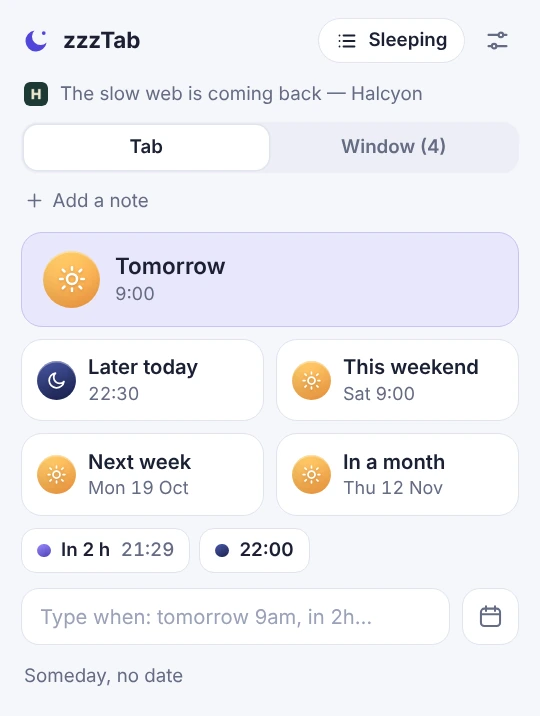
Type “tomorrow 9” or “every thursday 9am”. zzzTab shows you when it comes back.
Chrome extension · Free
zzzTab keeps your tabs safe and brings them back at the time you choose. One click, no account, everything in your browser.
Extensions are installed from a computer. We will email you the link so you can open it there.
We use your email once, to send it, and we do not keep it.
Recorded in real Chrome and explained step by step. Turn the voice on: it takes two and a half minutes.
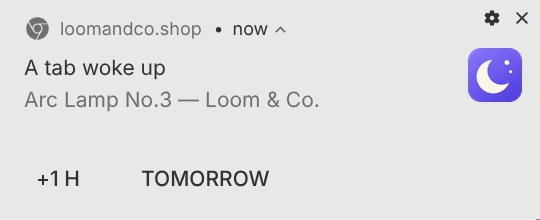
No tricks: the lamp tab was snoozed with “in 1 minute” and came back on its own, for real.
Close it today.
It is back tomorrow at 9.
Click the icon and choose: tomorrow, the weekend, in 2 hours… or type it in your own words.
The tab closes. Your tab bar stays clean and nothing gets lost.
At the time you chose it opens again. If you left a note, it shows over the page until you close it.
This is all you need to know.
Type “tomorrow 9” or “every thursday 9am”. zzzTab shows you when it comes back.
When the tab comes back, your note shows over the page. It stays there until you close it.
Every hour of the day has its own sky colour. You see when each tab comes back at a glance.
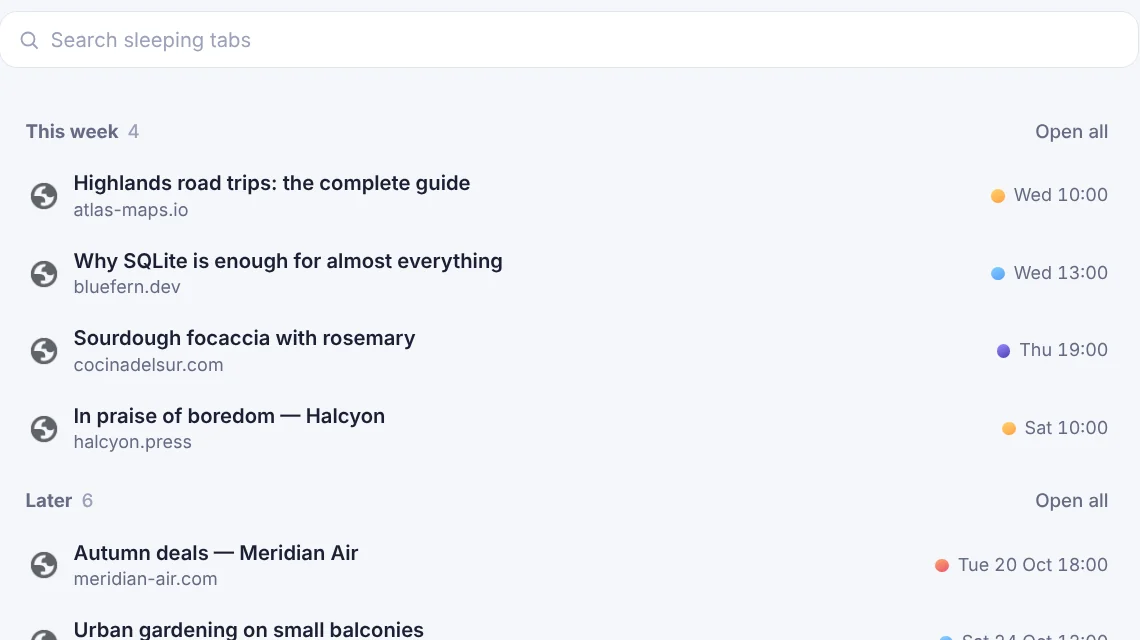
See which tabs are asleep, search for one, change its time or open it now.
After you snooze a tab you have 5 seconds to undo it. Don’t want it? Turn it off in Settings.
One tap repeats the time you picked before. Or type “random” and let zzzTab surprise you.
A soft sound when a tab goes to sleep and another when it wakes up. Turn each on or off, and test it first.
Choose your own time buttons (from 1 to 8), your language, and light or dark.
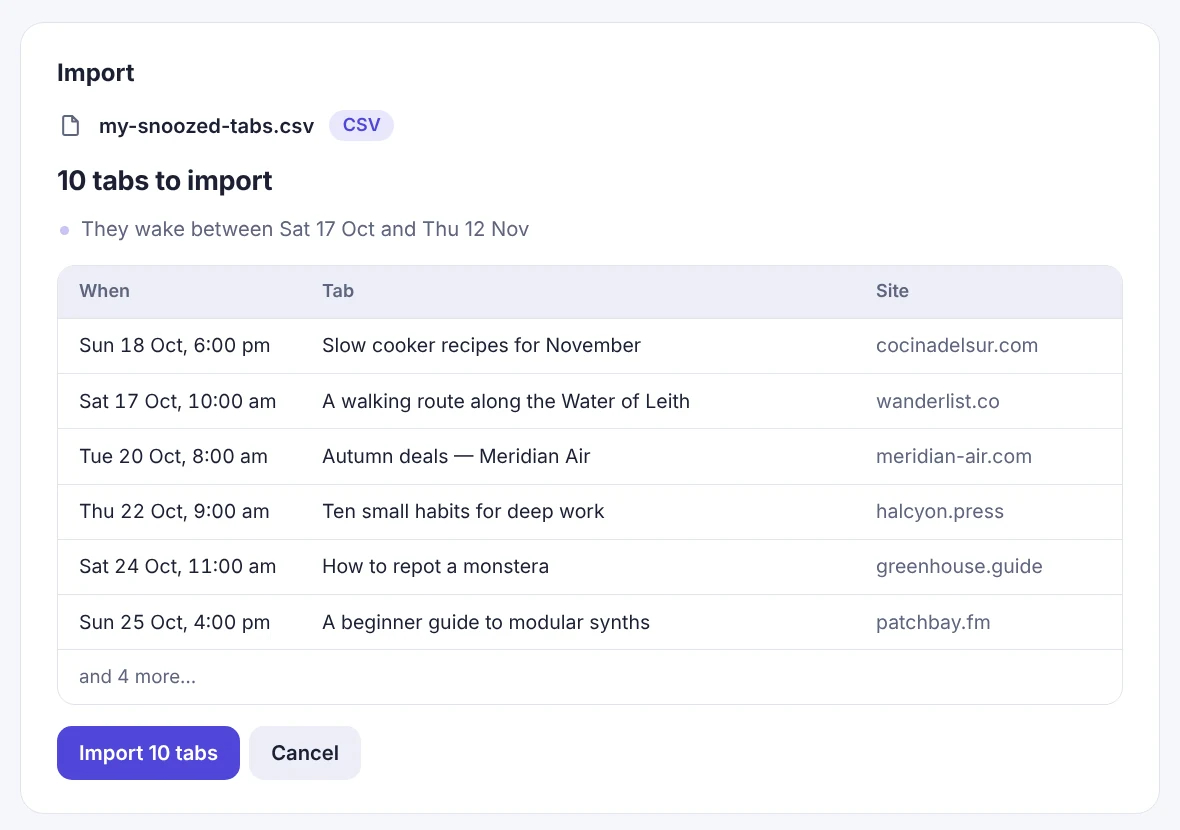
In the other app, save your tabs in a CSV file.
In zzzTab open Settings and go to “Import & export”.
Drop the file, look at the preview and click Import.
zzzTab is independent and not affiliated with other apps.
The zzzTab extension has no servers, accounts or statistics. Everything is saved in your browser, and Chrome stops it from connecting to the internet. This website only keeps what you choose to send us (a vote, an idea or a message) and counts visits without cookies.
"permissions": ["tabs", "tabGroups", "storage", "alarms", "favicon", "offscreen", "scripting"],
"optional_host_permissions": ["<all_urls>"],
"content_security_policy": {
  "extension_pages": "default-src 'none'; script-src 'self'; … connect-src 'none'; …"
}
This is what its manifest declares. Anyone can check it at chrome://extensions.
Read the privacy policyIt is free and has no ads.
When you open it, the tabs that are past due open one by one.
No: everything stays in your browser, so nothing leaves it. To move your list to another computer, export it and import it there.
No. zzzTab opens the page again by its address. It does not keep what you were typing.
To read the title and link of the tab you snooze, close it and open it again. It does not read what is inside the pages.
Save them in a CSV file and drop it on “Import & export”. The steps are above.
It is made for Chrome 116 or newer.
See what other people ask for, vote for what you want most or tell us what’s missing. No account, and a person reads everything.
Most wanted right now