Snooze
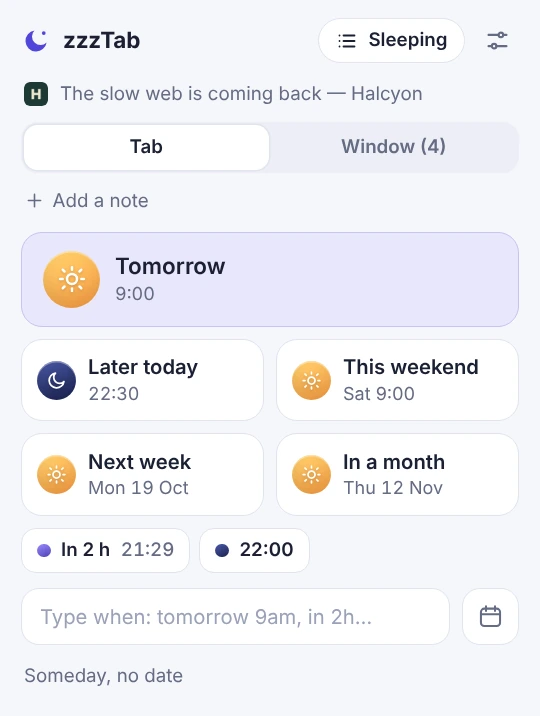
Type it like you would say it
Type “tomorrow 9”, “friday 9am” or “in 2 h” and the date shows up below, ready to confirm.
Chrome extension · Free
zzzTab snoozes your tabs and brings them back at exactly the time you choose. One click, no accounts, and never leaving your browser.
We are finishing the store listing.
Recorded in a real browser with the extension installed, and explained step by step. Turn the sound on: it takes under two minutes.
No marketing script: the lamp tab was snoozed with “in 1 minute” and came back on its own, for real.
Close it today.
It is back tomorrow at 9.
Click the zzzTab icon and choose: tomorrow, this weekend, in 2 hours… or type it in your own words.
The tab closes. A calmer tab bar, less memory in use, and nothing gets lost.
At the chosen time it opens in the background, without pulling you out of what you are doing, with a soft sound.
Every detail is meant to make snoozing a tab take a second, and to keep it from bothering you when it returns.
Type “tomorrow 9”, “friday 9am” or “in 2 h” and the date shows up below, ready to confirm.
If several are due, they open one every 10 seconds, always in the background. Nothing steals your focus or floods your screen.
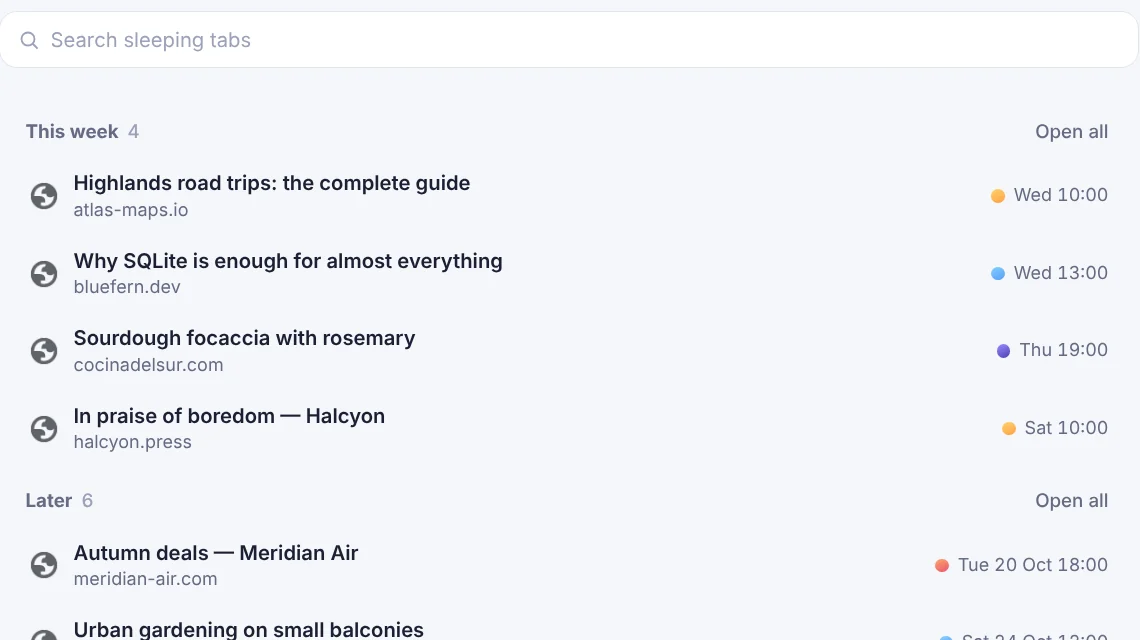
Every moment of the day wears the colour of its sky. You see when each tab returns without reading a thing.
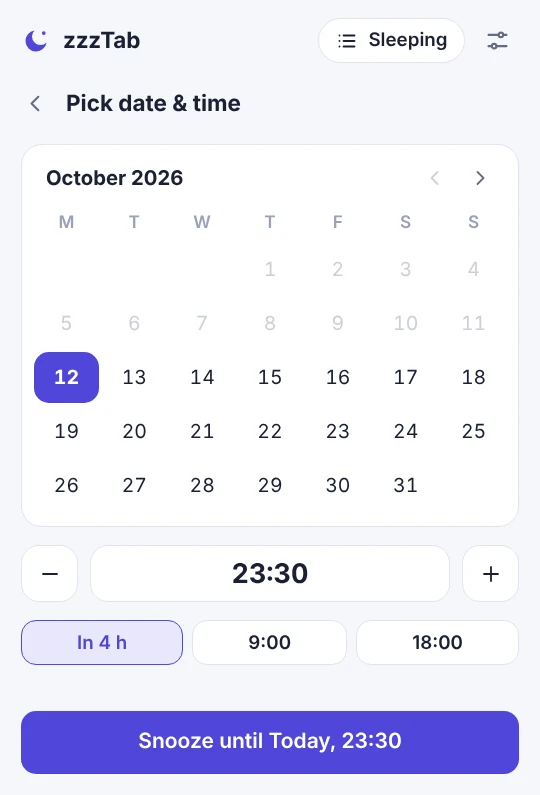
A simple calendar, time with −/+ 15 minutes or typed by hand, and shortcuts like “in 4 h” or your last time.
Search, reschedule, open now, or open every tab of a day with a single button.
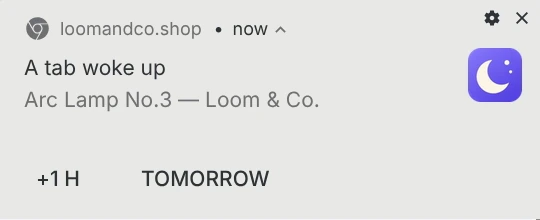
A soft sound and a single notification, with buttons to snooze another hour or until tomorrow.
Create shortcuts like “4 h” or “23:00” and they appear on the main screen.
Snooze one tab or every tab in the window. If they were in a group, they go back to it.
CSV, JSON or just the links. Bring over another extension’s tabs in a minute.
Adapts to your language and your clock (12 or 24 h). The icon badge shows how many are asleep.
Export your tabs to CSV from Snooze Tabby.
In zzzTab open Settings and go to “Import & export”.
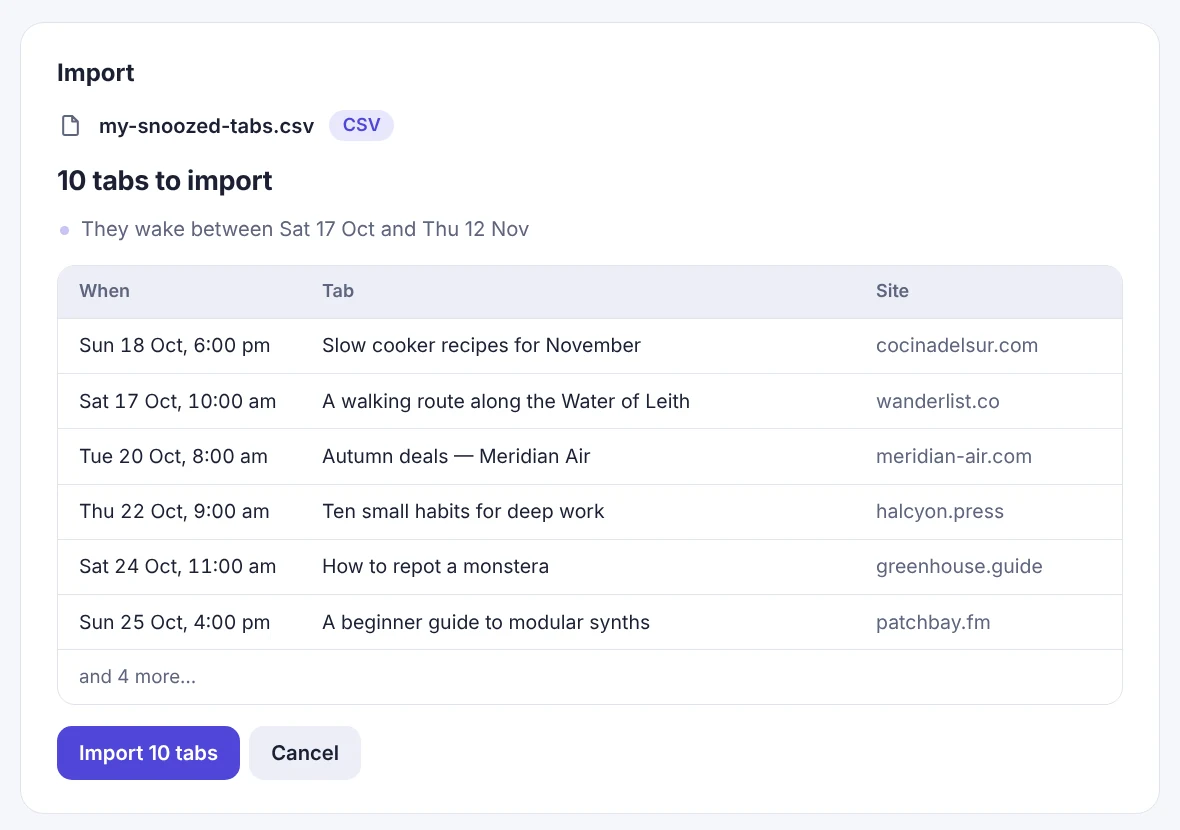
Drop the file, check the preview and click Import.
Snooze Tabby is a third-party product. zzzTab is independent and not affiliated with it.
zzzTab has no servers, accounts or analytics. Everything is stored in your browser, and the extension cannot connect to the internet: Chrome blocks it by design.
"permissions": ["tabs", "tabGroups", "storage", "alarms", "notifications", "favicon", "offscreen"],
"content_security_policy": {
  "extension_pages": "default-src 'none'; script-src 'self'; … connect-src 'none'; …"
}
This is what its manifest declares. Anyone can check it at chrome://extensions.
Read the privacy policyNothing. zzzTab is free, with no paid tier and no ads.
When you open it, anything overdue opens one by one and a notice tells you how many woke up while you were away.
No: everything is local, precisely so nothing leaves your browser. To move your list, export it and import it on the other one.
No. zzzTab reopens the page by its address; it does not keep unsent forms or scroll position.
To read the title and link of the tab you snooze, close it and reopen it. It does not read the content of pages.
It is built for Chrome 116 or newer.
Export the CSV from Snooze Tabby and drop it on zzzTab’s “Import & export” screen. The steps are above.
It takes a second. Tomorrow you will be glad you did.
We are finishing the store listing.